Kitchen Display System
Clover KDS
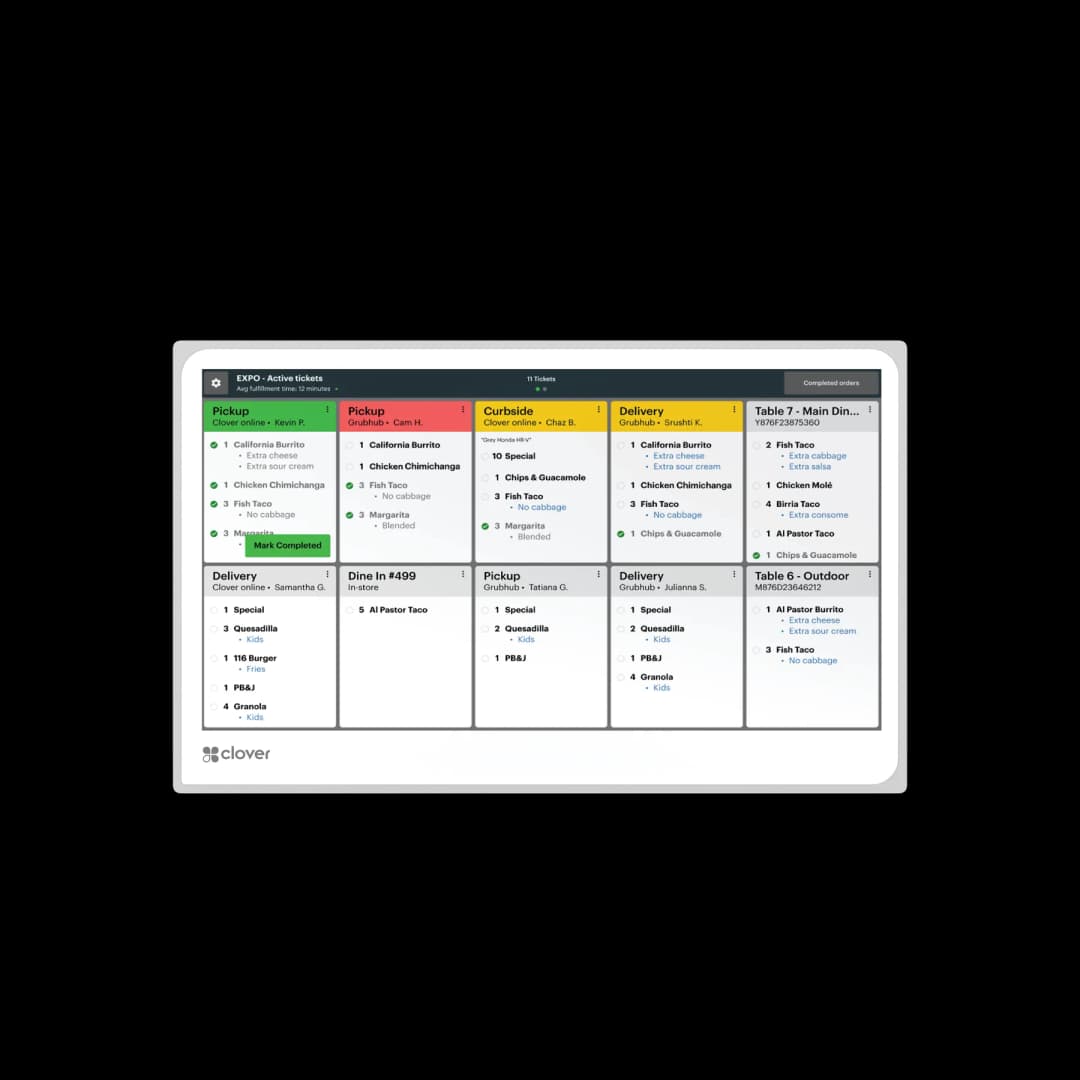
Kitchen Display System that replaces paper tickets with real-time digital orders from Clover POS, online ordering, and delivery apps.
- Route in-store, online, and delivery tickets to one display workflow so cooks and expo work from the same live information.
- Choose screen size by station visibility and available space, with mounting flexibility for counter, wall, or overhead setups.
- Add tactile programmable controls for overhead or high-traffic stations where touch interaction is not always ideal.
Clover KDS routes orders from POS, online ordering, and delivery channels into one kitchen workflow so teams can prep faster with fewer mistakes.
Atlanta HQ · Nationwide rollout · In business since 2002
Outcome
Fewer missed and remade tickets
Digital order routing replaces paper slips so prep teams see the same order details in real time across stations.
Trust
Live sync from front to back of house
Orders from Clover POS, online channels, and delivery apps flow to KDS together so kitchens can prioritize accurately.
Next step
Right-size screens for your line
Choose 14-inch or 24-inch KDS screens and map mounts by prep area before rollout.
Real-time kitchen order management with Clover KDS
Clover KDS keeps back-of-house teams aligned with live ticket updates, clear order queues, and optional bump-bar controls for overhead installations.
Clover KDS is a back-of-house kitchen display system that replaces paper tickets with live digital order flow. Orders from Clover POS, online ordering, and supported delivery channels appear in one synchronized queue so kitchen teams can prep faster, reduce errors, and keep service windows consistent.
Unified order flow to the kitchen
Route in-store, online, and delivery tickets to one display workflow so cooks and expo work from the same live information.
14-inch and 24-inch hardware options
Choose screen size by station visibility and available space, with mounting flexibility for counter, wall, or overhead setups.
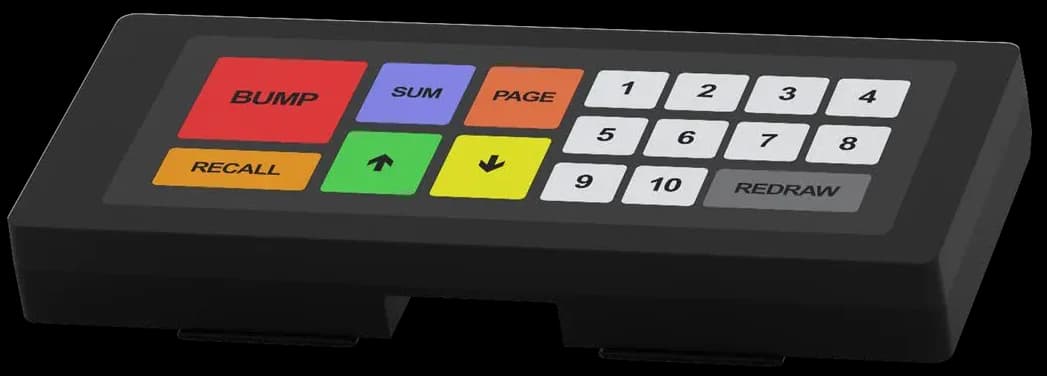
Optional KB9000 bump bar control
Add tactile programmable controls for overhead or high-traffic stations where touch interaction is not always ideal.
Built for speed and precision in busy kitchens
KDS helps restaurants reduce communication errors and maintain throughput during peak service windows.
Real-time ticket routing
Orders from POS, online ordering, and third-party channels route directly to kitchen screens without manual handoff.
14-inch and 24-inch options
Deploy compact or large-format displays by station based on prep volume and line-of-sight needs.
Configurable workflow views
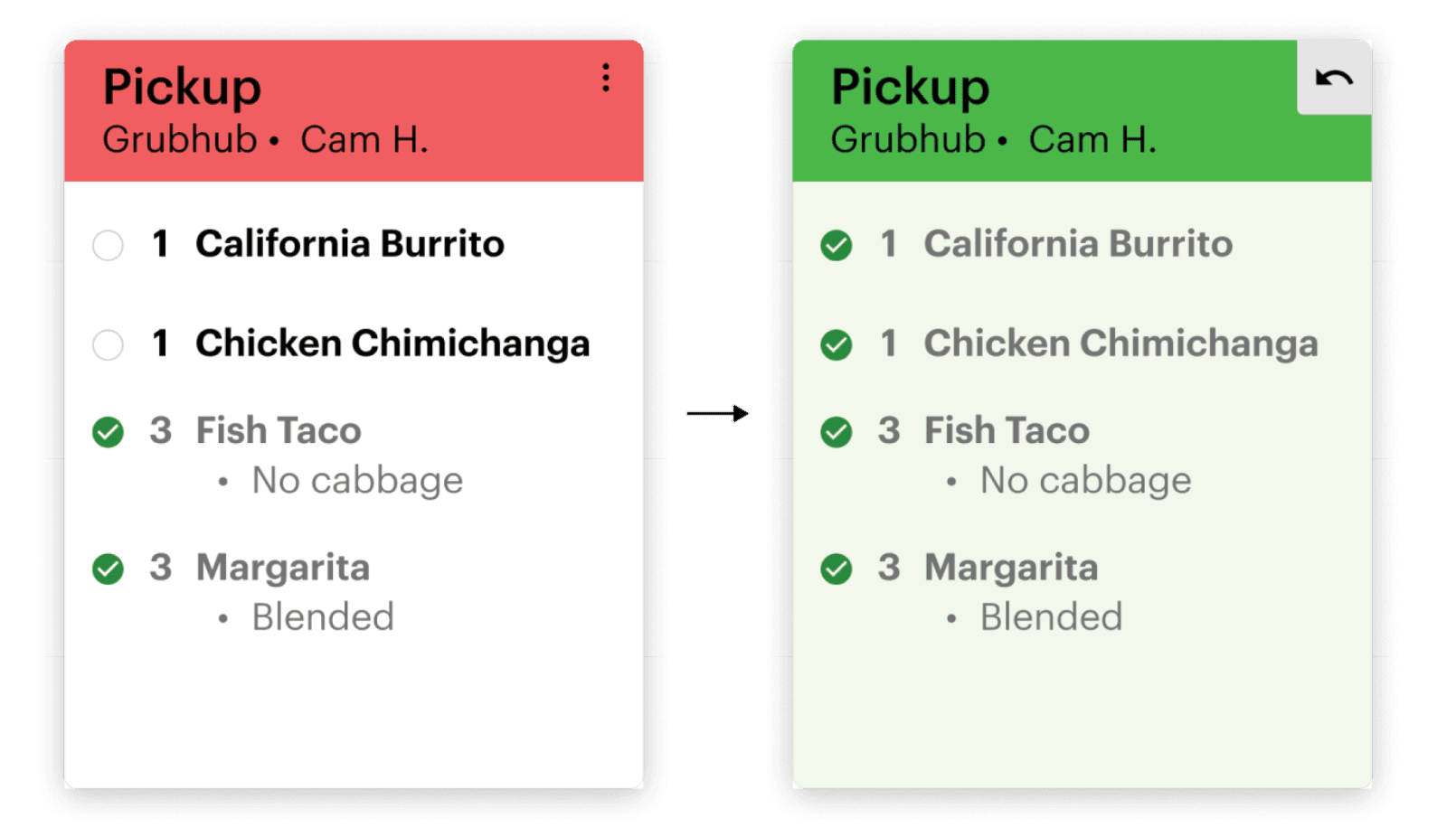
Track prep progress, prioritize tickets, and adapt display behavior for each kitchen role.
Optional programmable bump bar
Use the KB9000 bump bar for overhead or high-heat environments where touch interaction is less practical.
One kitchen view across every order source
When tickets arrive in one synchronized system, teams spend less time reconciling order sources and more time producing accurate plates.
Replace paper tickets with live digital queues
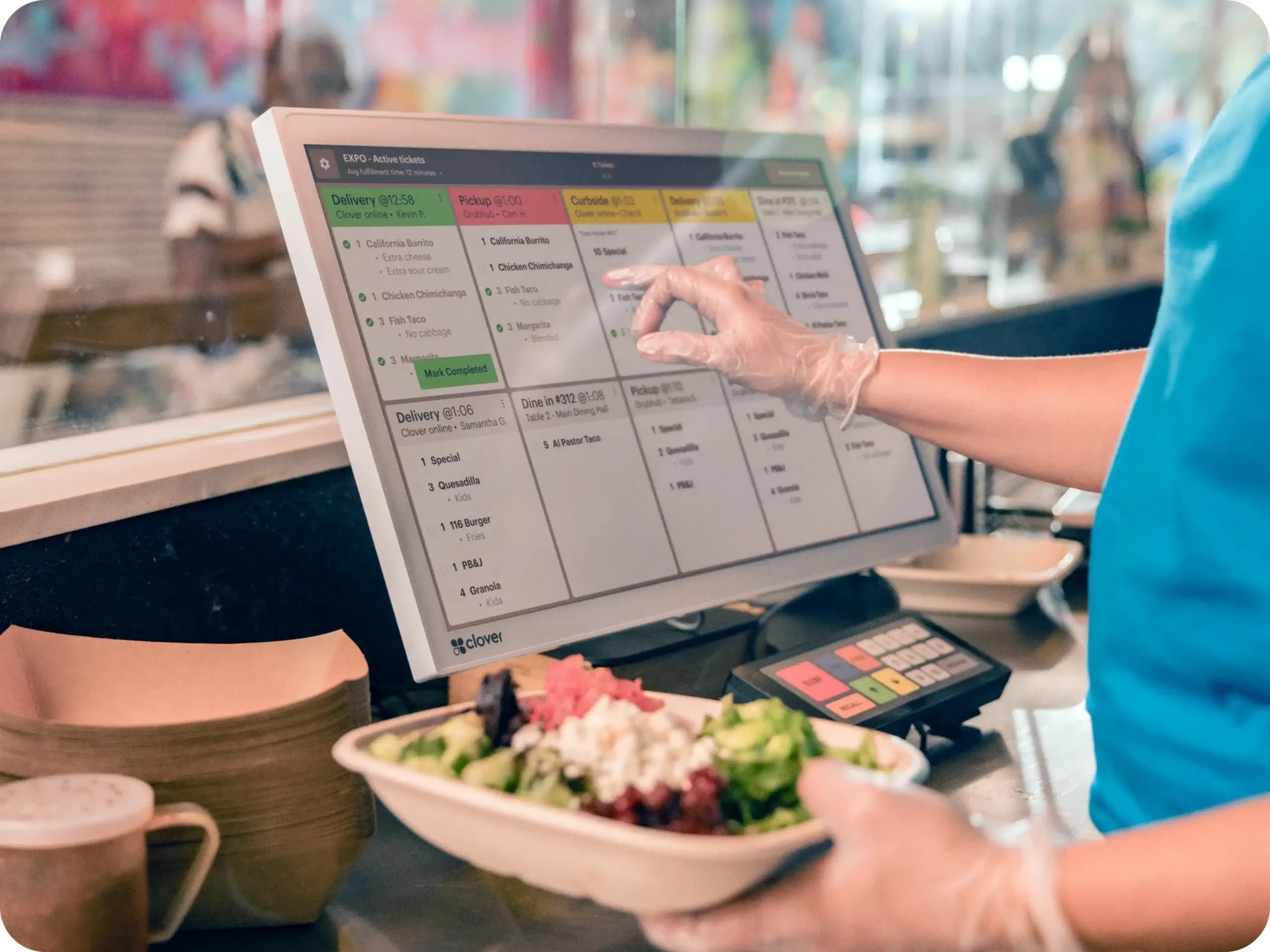
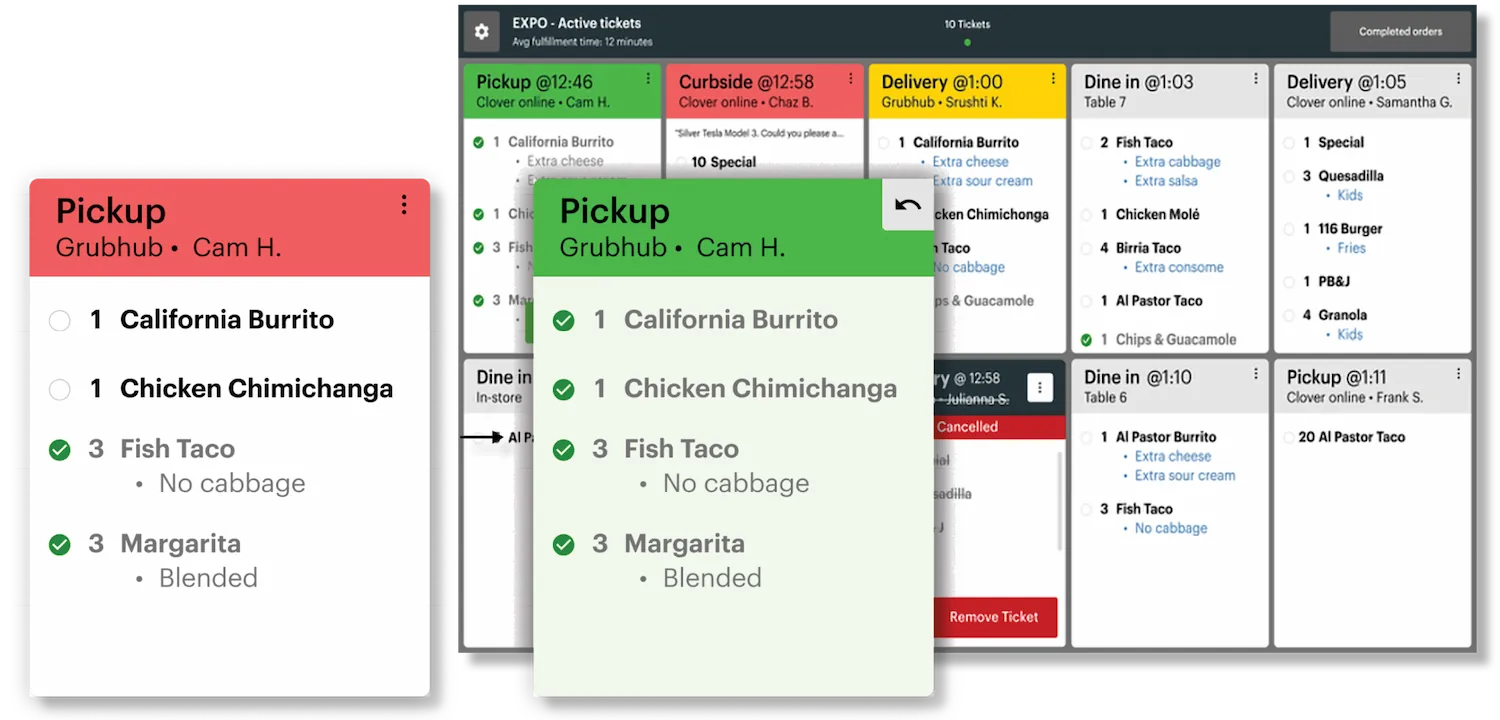
KDS displays active orders with status visibility so expo and prep teams can keep pace without deciphering handwritten chits.
See if Clover KDS fits your kitchenMatch display size to station layout
Use 14-inch screens where space is tight and 24-inch screens where visibility across multiple prep roles matters most.
Request a KDS deployment quote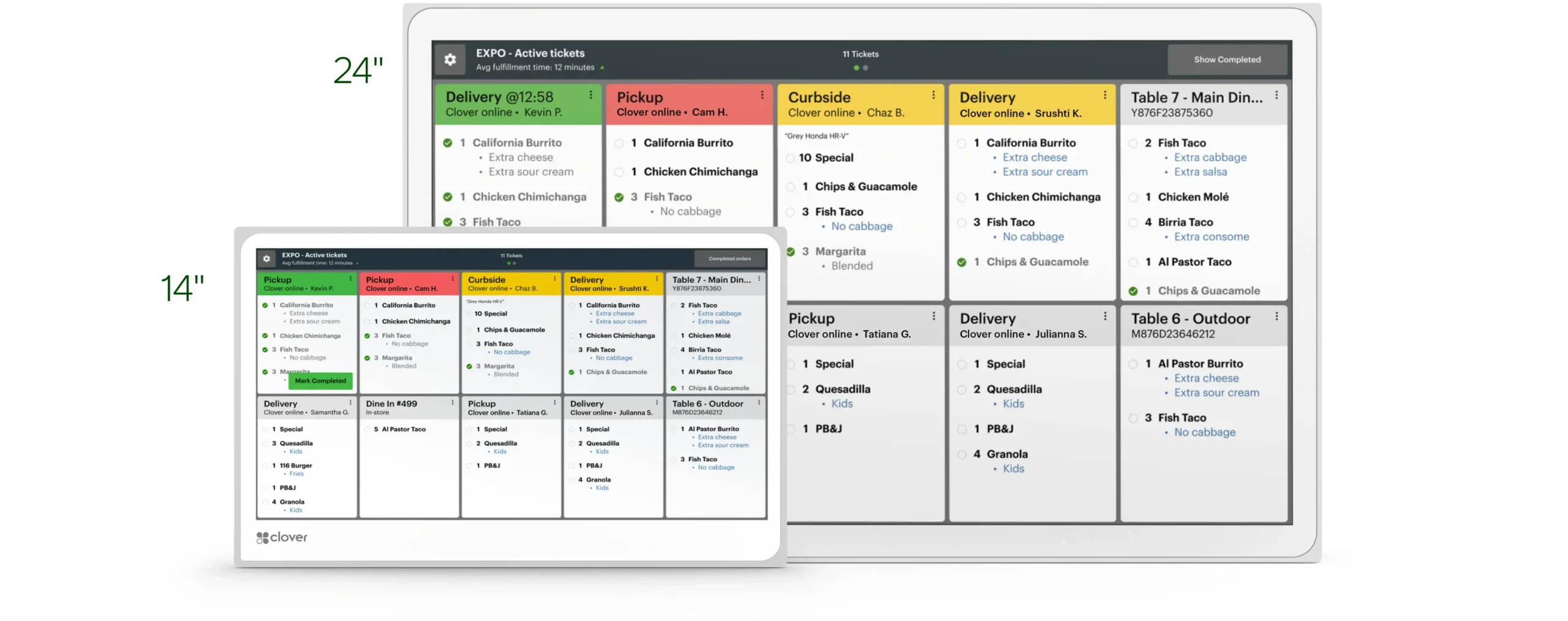
Add bump-bar control where touch is not ideal
The programmable KB9000 bump bar gives teams tactile controls for advancing tickets on overhead displays in demanding kitchen zones.
Compare the full Clover lineSee Clover KDS in a live restaurant workflow
Watch how tickets move from order intake to completion so you can plan screen placement and station responsibilities with confidence.
Kitchen display hardware and station planning
Use KDS screen size options, mounting approach, and control accessories to build a back-of-house flow that fits your operation.
Display sizes
14-inch and 24-inch Clover KDS configurations.
Order sources
Clover POS, Clover Online Ordering, and supported third-party delivery integrations.
Workflow
Real-time ticket display with station-level visibility, status updates, and order progression controls.
Accessory
Optional KB9000 programmable bump bar for hardware-button ticket management.
Full specifications
- Display sizes
- 14-inch and 24-inch Clover KDS configurations.
- Order sources
- Clover POS, Clover Online Ordering, and supported third-party delivery integrations.
- Workflow
- Real-time ticket display with station-level visibility, status updates, and order progression controls.
- Accessory
- Optional KB9000 programmable bump bar for hardware-button ticket management.
- Mounting options
- Countertop, wall, and overhead deployment based on kitchen layout.
- Connectivity
- Integrated with Clover ecosystem and networked order routing across front and back of house.
- Use cases
- Quick-service, full-service, ghost kitchens, and multi-station prep operations.
- Goal
- Reduce prep errors and improve speed by replacing paper tickets with digital, synchronized kitchen queues.
Since 2002
Two decades of merchant-first processing means we still answer the phone—and we still read statements before we recommend gear.
Nationwide
Remote provisioning, live go-live support, and on-site help when geography allows so you are never stuck talking to a faceless queue.
Atlanta HQ
Real humans who pair Duo, Mini, and Flex to your lanes, your reporting habits, and how your staff actually moves during rush.
Frequently asked questions
Answers for operators evaluating Clover KDS for high-volume kitchen execution.
What is Clover KDS?▼
Clover KDS is a kitchen display system that replaces paper tickets and shows live orders from Clover POS, online ordering, and delivery channels.
What screen sizes are available?▼
Clover KDS is available in 14-inch and 24-inch display options so you can match station visibility and available space.
Can Clover KDS handle third-party delivery orders?▼
Yes. Orders from supported delivery integrations can route into the same kitchen workflow as in-store and online Clover orders.
What is the bump bar used for?▼
The optional KB9000 bump bar provides programmable tactile controls for managing tickets, especially useful with overhead display installations.
Get this system through Omega
You can get this system at no cost when you qualify. Our program eliminates 100% of traditional processing fees-you only pay $35/month for processing, not a percentage of every sale. Take the quick check to see if you qualify.
If you are deciding between 14-inch and 24-inch KDS layouts, we can map your prep stations and recommend a practical deployment plan before installation.
Prefer to talk now?
(866) 663-4204Clover hardware
Choose another device