Ordering Kiosk
Clover Ordering Kiosk
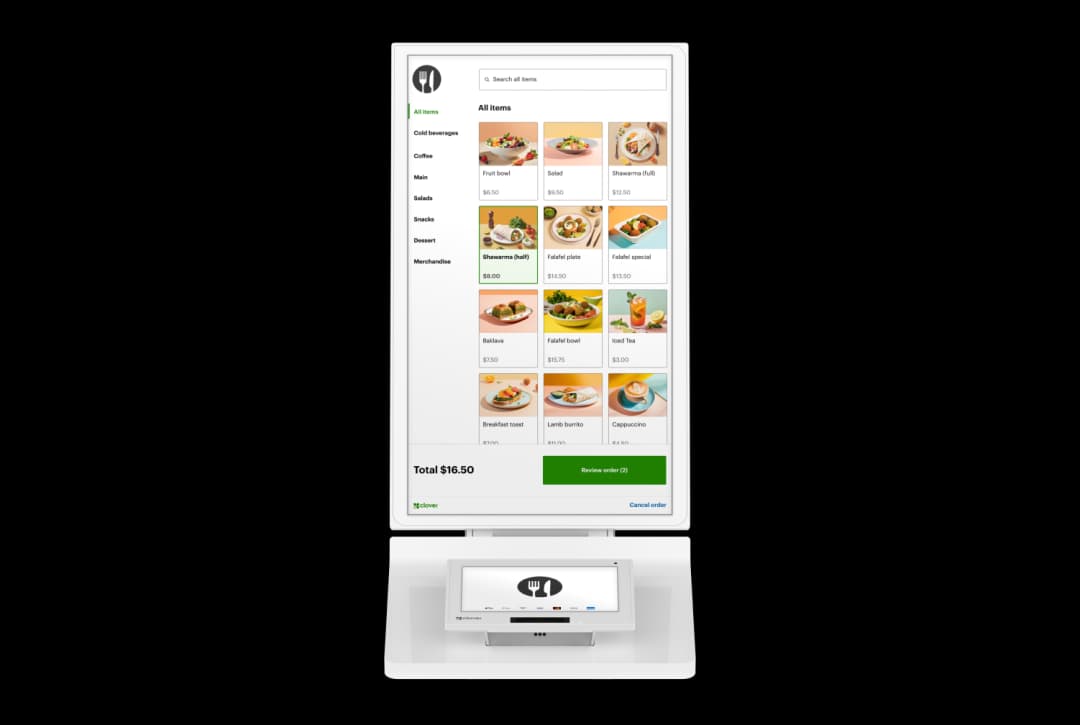
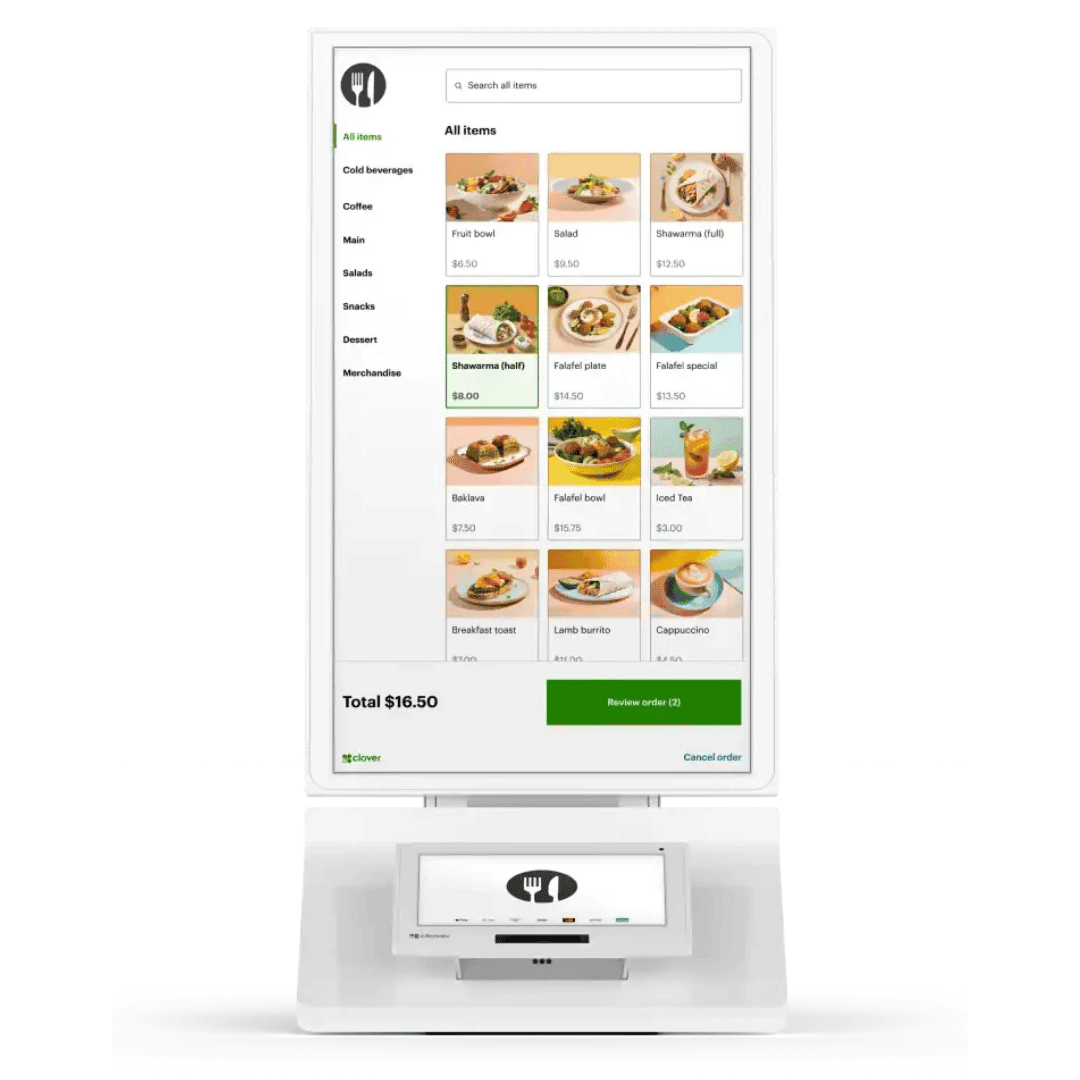
Self-service ordering kiosk with Clover Mini for QSR, fast casual, and cafés. Customers order and pay; syncs with your Clover POS.
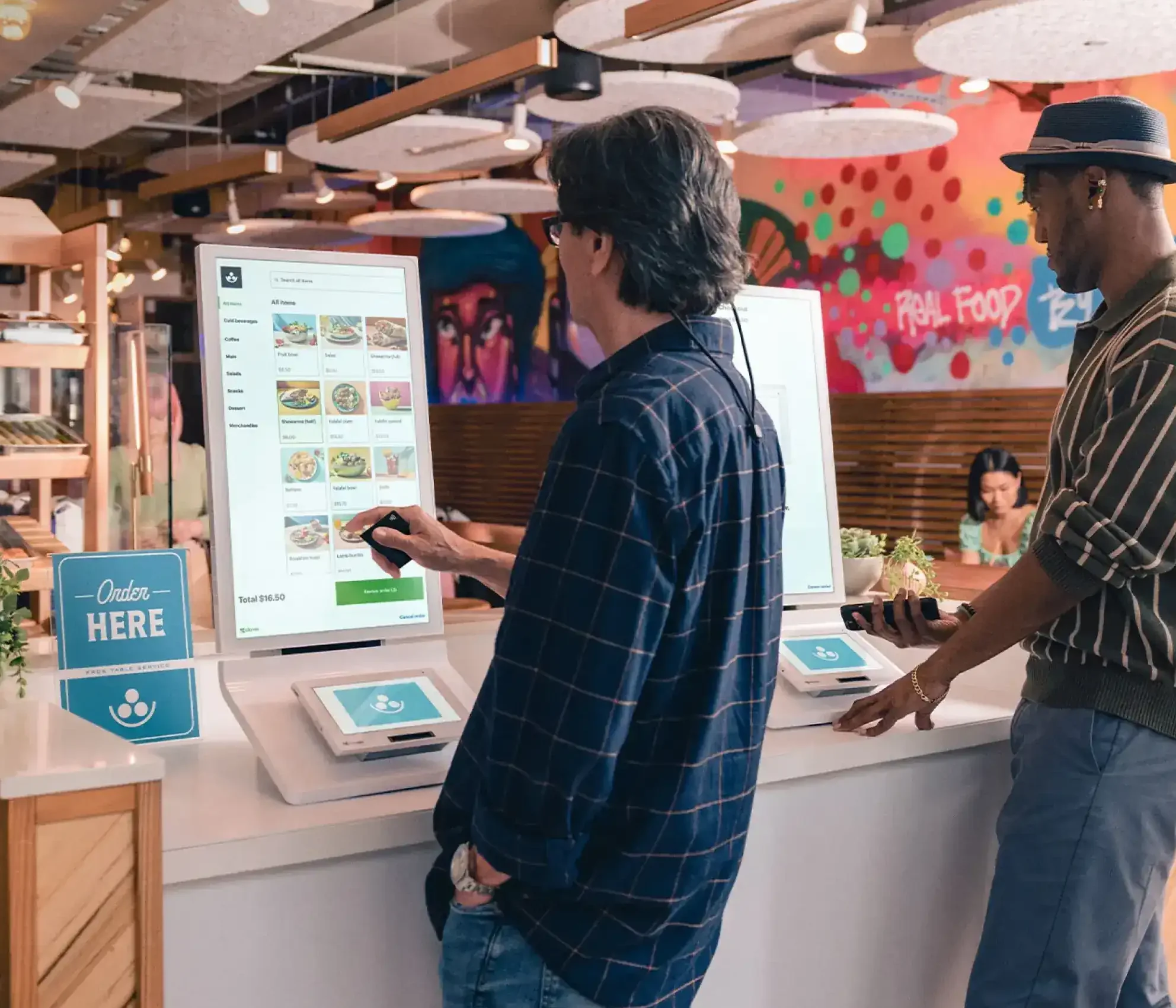
- Guests browse, customize, and pay at the kiosk so front-counter teams can focus on preparation and handoff.
- Chip, swipe, contactless, and PIN debit routes run through Clover security while menu logic stays in one ecosystem.
- Deploy kiosk as countertop, wall-mount, or stand-based depending on space, accessibility, and traffic shape.
No-cost equipment options may apply for qualified merchants. We can model kiosk count, mounting style, and throughput before you deploy.
Atlanta HQ · Nationwide rollout · In business since 2002
Outcome
Move guests from line to order faster
Self-ordering shifts routine front-counter traffic to kiosks so staff can focus on fulfillment and service recovery.
Trust
Menu and pricing stay synced
Kiosk ordering connects with Clover POS so updates propagate without duplicate menu maintenance.
Next step
Plan mount + flow before install
We help choose countertop, wall, or stand placement based on queue behavior and accessibility needs.
Self-service ordering powered by Clover
Clover Ordering Kiosk pairs a large order screen with Clover payment hardware and integrated printing to reduce wait times and improve order accuracy.
Clover Ordering Kiosk brings self-service ordering to high-traffic front counters with a large ordering display, integrated Clover payment flow, and built-in printing. It is designed to reduce queue pressure, improve order-entry consistency, and free staff for fulfillment and guest experience.
Self-ordering to reduce queue pressure
Guests browse, customize, and pay at the kiosk so front-counter teams can focus on preparation and handoff.
Integrated Clover payment path
Chip, swipe, contactless, and PIN debit routes run through Clover security while menu logic stays in one ecosystem.
Flexible placement options
Deploy kiosk as countertop, wall-mount, or stand-based depending on space, accessibility, and traffic shape.
Built for high front-counter demand
Why restaurants add kiosks for throughput, consistency, and average-ticket lift.
24-inch order screen + payment terminal
Large browse-and-build interface with integrated payment handling for independent guest checkout.
Built-in receipt printing
Print confirmation at the kiosk while orders route to kitchen workflow just like staffed lanes.
Syncs with Clover menus
Menu and pricing updates remain aligned with your Clover POS to reduce manual update errors.
Flexible mounting options
Deploy countertop, wall, or stand configurations based on your footprint and traffic shape.
Free your staff for higher-value interactions
Kiosks absorb repetitive order entry while your team handles hospitality, handoff quality, and exception handling.
Add throughput without adding a register lane
Kiosks let guests browse and order at their own pace, reducing bottlenecks at staffed counters during rush periods.
See if kiosk placement fitsShorter lines, cleaner handoffs
Self-entry reduces misheard modifiers and gives staff more time to manage production and guest needs.
Request a kiosk deployment quote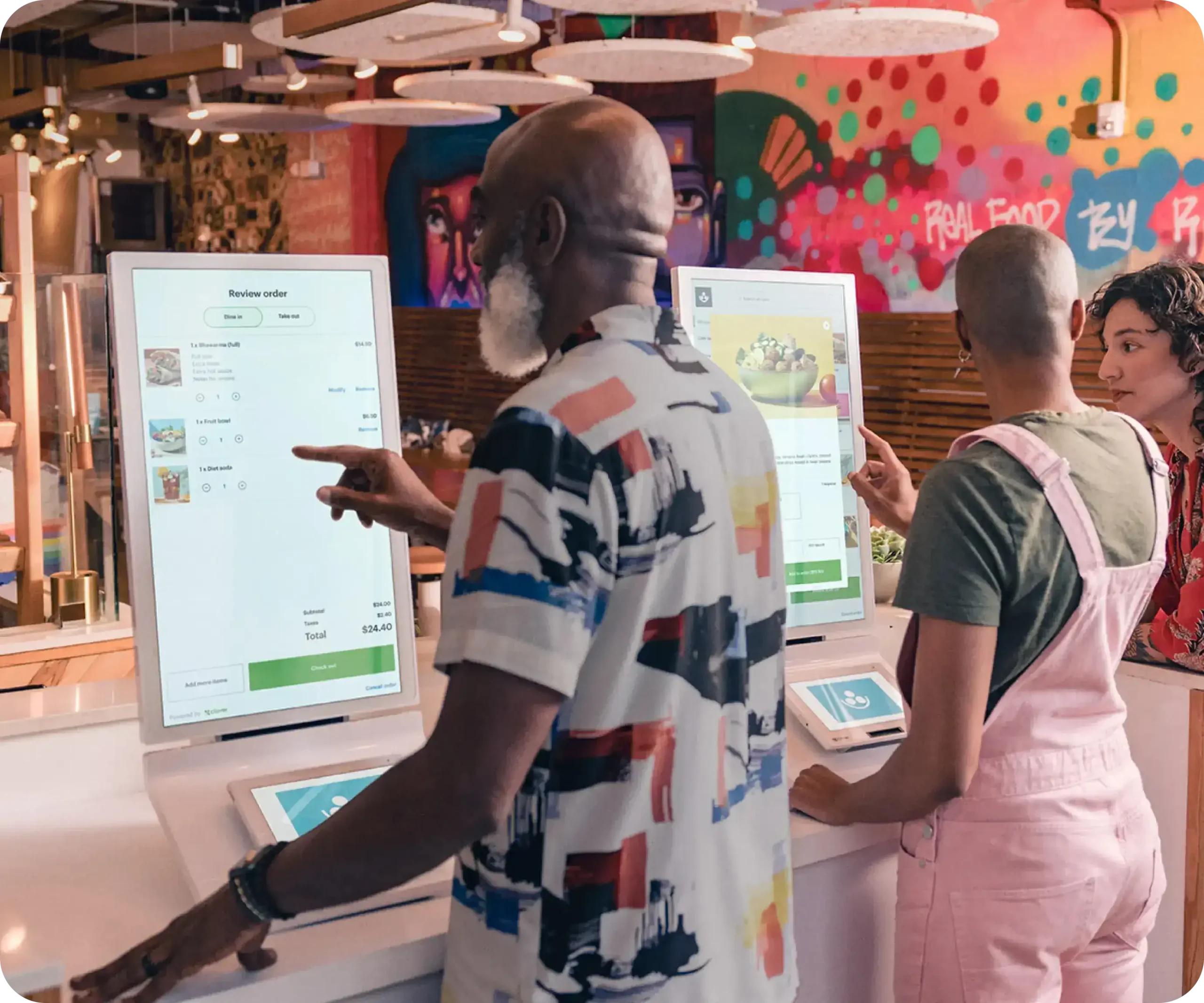
Keep menu data centralized in Clover
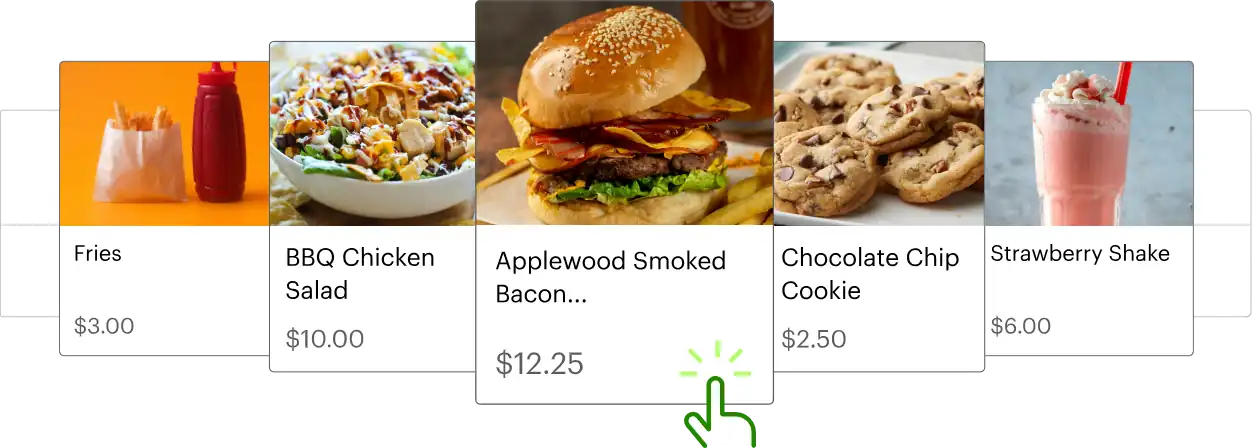
Kiosk configuration aligns with Clover menu infrastructure so updates are easier to maintain at scale.
Compare the full Clover lineSee kiosk-driven order flow
Kiosk works best when line pressure is predictable and order complexity benefits from guest self-entry.
Kiosk hardware and placement options
Order screen, payment terminal, printer, and mount flexibility to match your layout and accessibility requirements.
Order screen
24-inch HD touch ordering display.
Payment terminal
Integrated Clover payment touch terminal (8-inch class).
Payments
Contactless, chip, swipe, and debit PIN support.
Printer
Built-in thermal receipt printer.
Full specifications
- Order screen
- 24-inch HD touch ordering display.
- Payment terminal
- Integrated Clover payment touch terminal (8-inch class).
- Payments
- Contactless, chip, swipe, and debit PIN support.
- Printer
- Built-in thermal receipt printer.
- Connectivity
- Wi-Fi, Ethernet, and LTE options.
- Mounting
- Countertop-ready with optional wall/stand mounts and VESA-compatible options.
- Menu sync
- Menu and pricing can sync with Clover POS workflow.
- Security
- Clover end-to-end payment encryption and secure transaction routing.
Since 2002
Two decades of merchant-first processing means we still answer the phone—and we still read statements before we recommend gear.
Nationwide
Remote provisioning, live go-live support, and on-site help when geography allows so you are never stuck talking to a faceless queue.
Atlanta HQ
Real humans who pair Duo, Mini, and Flex to your lanes, your reporting habits, and how your staff actually moves during rush.
Frequently asked questions
Core questions from operators evaluating self-ordering with Clover.
What is Clover Ordering Kiosk?▼
Clover Ordering Kiosk is a self-service ordering system that combines a large ordering touchscreen, Clover payment terminal, and receipt printing for restaurant front-of-house workflows.
What types of payments does the kiosk accept?▼
Kiosk supports contactless, chip, swipe, and debit PIN payment paths through Clover-enabled payment hardware.
Can kiosk menus stay synced with Clover POS?▼
Yes. Kiosk ordering is designed to align with Clover menu/pricing configuration for consistent ordering data.
How is kiosk mounted?▼
Depending on deployment, kiosks can be set countertop, wall-mounted, or placed on floor stands with accessibility considerations.
Get this system through Omega
You can get this system at no cost when you qualify. Our program eliminates 100% of traditional processing fees-you only pay $35/month for processing, not a percentage of every sale. Take the quick check to see if you qualify.
If you are considering kiosk, we can map queue flow, mount options, and staffing impact before installation so hardware count matches real traffic.
Prefer to talk now?
(866) 663-4204Clover hardware
Choose another device